KeepNotes

How to Use KeepNotes for Study and Revision

Published on July 8, 2025

Whether you are a high school student preparing for final exams, a university student tackling complex coursework, or a lifelong learner picking up new skills, effective note-taking is at the heart of successful studying. The way you capture, organize, and review information directly impacts how well you understand and retain it. KeepNotes offers a lightweight, distraction-free platform that supports every stage of the study process, from initial note-taking in class to final revision before an exam.

Why Digital Notes Outperform Paper for Studying

While handwriting notes has its benefits for initial encoding, digital notes offer significant advantages for the revision and review phases of studying. Digital notes are searchable, so you can find specific terms or concepts instantly instead of flipping through dozens of pages. They are editable, allowing you to refine and improve your summaries as your understanding deepens. They are portable, accessible from any device at any time. And they are shareable, making group study sessions more productive.

KeepNotes combines these digital advantages with a deliberately simple interface. Unlike complex note-taking apps that can become distractions in themselves, KeepNotes gives you a clean text area and gets out of your way. There are no templates to choose, no formatting toolbars to learn, and no organizational hierarchies to maintain. You just write.

Organize Your Notes by Subject

The simplest and most effective organizational strategy is to create separate notes for each subject, course, or topic. Use clear, descriptive titles that help you find the right note quickly. Here are some examples of effective naming conventions:

If you create a KeepNotes account, all your notes appear in your dashboard, making it easy to see all your study materials in one place. You can also use custom URL slugs to make your notes easier to find. For example, change a note's URL to /physics-kinematics so you can navigate to it directly without searching.

Use Version History for Revision Tracking

One of KeepNotes' most powerful features for students is version history. Every time you edit a note, a new version is automatically saved. This creates a timeline of your learning. You can look back at earlier versions to see how your understanding evolved, what details you added over time, and what corrections you made.

This is particularly valuable during exam preparation. Compare your initial class notes with your final revision summary to identify areas where your understanding improved and areas where you might still have gaps. If you accidentally delete important content during an editing session, you can restore it from a previous version with one click.

Create Flashcards and Q&A Style Notes

Self-testing is one of the most effective study techniques, supported by decades of educational research. You can create simple flashcard-style notes in KeepNotes by listing questions followed by their answers:

Q: What is the mitochondria?
A: The powerhouse of the cell, responsible for producing ATP through cellular respiration.

Q: What year did World War II end?
A: 1945

Q: What is Newton's Second Law?
A: Force equals mass times acceleration (F = ma)
      

To practice, read each question and try to recall the answer before scrolling down. You can use bold text to emphasize key terms and bullet points to break down complex answers into manageable parts. Over time, the questions you consistently get right can be removed or moved to an "archived" section, while difficult questions remain at the top for continued practice.

The Cornell Note-Taking Method

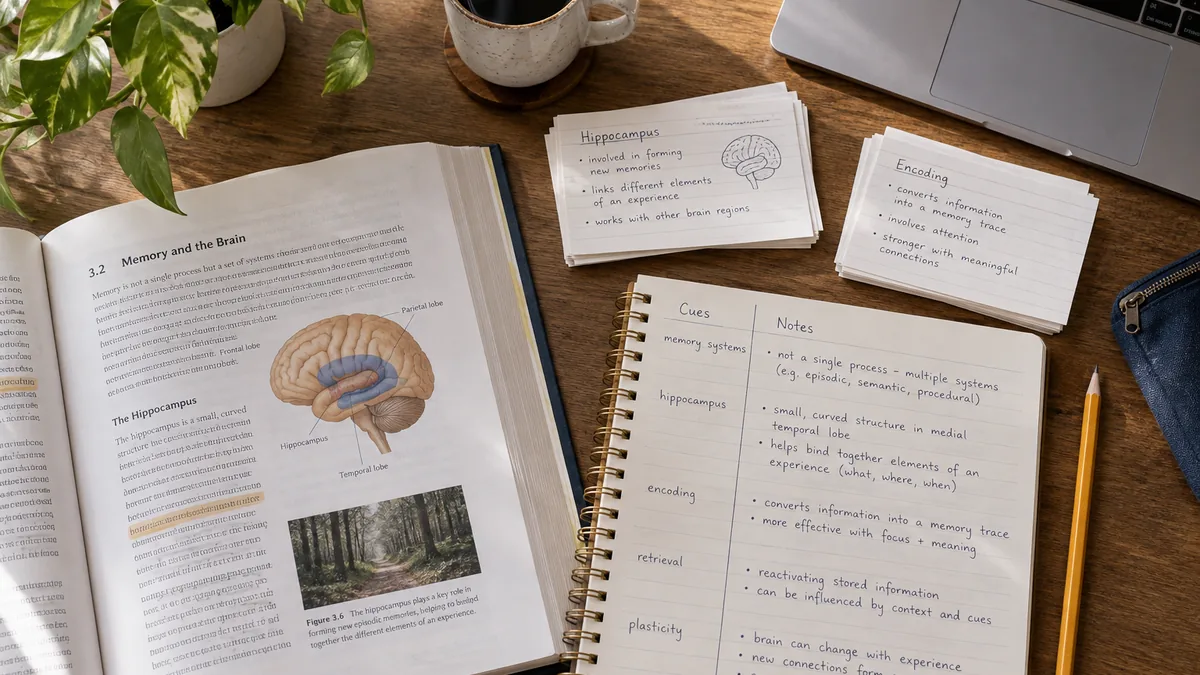
The Cornell Method is a proven note-taking system developed at Cornell University. It divides notes into three sections: a main notes area, a cue column for keywords and questions, and a summary section at the bottom. You can adapt this method in KeepNotes:

TOPIC: Photosynthesis

KEY TERMS:
- Chlorophyll
- Light-dependent reactions
- Calvin cycle
- ATP, NADPH

NOTES:
Photosynthesis converts light energy into chemical energy.
Occurs in chloroplasts. Two main stages: light-dependent
reactions (in thylakoids) and the Calvin cycle (in stroma).

SUMMARY:
Plants use sunlight to convert CO2 and water into glucose
and oxygen through a two-stage process in the chloroplasts.
      

This structured format makes review sessions more effective because you can cover the notes section and use the key terms to test your recall before checking your answers.

Build a Daily Study Journal

Create a dated note like "Study Log - July 8" to track your daily study progress. Record what you studied, how long you spent on each subject, which topics felt comfortable, and which ones need more attention. Over a week or month, this journal becomes a valuable tool for identifying patterns in your study habits and adjusting your approach accordingly.

A simple daily entry might look like this:

Study Log - July 8

Completed:
- Physics Ch. 5 review (45 min) - feeling confident
- History essay outline (30 min) - need more sources
- Math practice problems 1-20 (60 min) - struggling with Q15-18

Tomorrow's focus:
- Finish history essay research
- Redo math problems 15-18 with textbook open
- Start biology chapter 8
      

Collaborate with Study Groups

KeepNotes makes group studying more efficient. Create a shared note for your study group and share the URL with all members. Everyone can access the same note from their own device without creating an account. Use the note to compile study materials, share important findings, or create collaborative summaries of lecture content.

For study groups, custom URL slugs are particularly useful. Name the note something memorable like /bio-study-group so everyone can find it easily. If the group is working on sensitive materials, add a password and share it with group members privately.

Export and Backup Before Exams

Before important exams, export your study summaries for offline access. KeepNotes supports three export formats:

You can also share your notes with classmates via QR code. Display the code in a study session and let everyone scan it to access the shared materials instantly.

Use Offline Mode for Distraction-Free Studying

One of the biggest challenges of digital studying is the temptation to check social media, browse the web, or get lost in unrelated content. KeepNotes' offline mode can help with this. Install the PWA, load your study notes while online, and then disconnect from the internet. You will have access to your notes without any of the usual online distractions.

This approach is particularly effective during intensive study sessions, on public transport, or in locations with unreliable Wi-Fi. Your study material is always available, and there are no notifications or browser tabs competing for your attention.

Start organizing your study notes with KeepNotes today